On this page
- What changed in the 2024 revision
- The form at a glance
- Header (items 1 and 2)
- Insurance Company and Dental Benefit Plan (item 3)
- Other Coverage (items 4 through 11)
- Policyholder / Subscriber Information (items 12 through 17)
- Patient Information (items 18 through 23)
- Record of Services Provided (items 24 through 35)
- Authorizations (items 36 and 37)
- Ancillary Claim and Treatment Information (items 38 through 47)
- Billing Dentist or Dental Entity (items 48 through 52a)
- Treating Dentist and Treatment Location (items 53 through 58)
- When the paper form is the only option
- How the form maps to the electronic claim
- Common rejection patterns by field
- Where to download the form and instructions
- Common questions
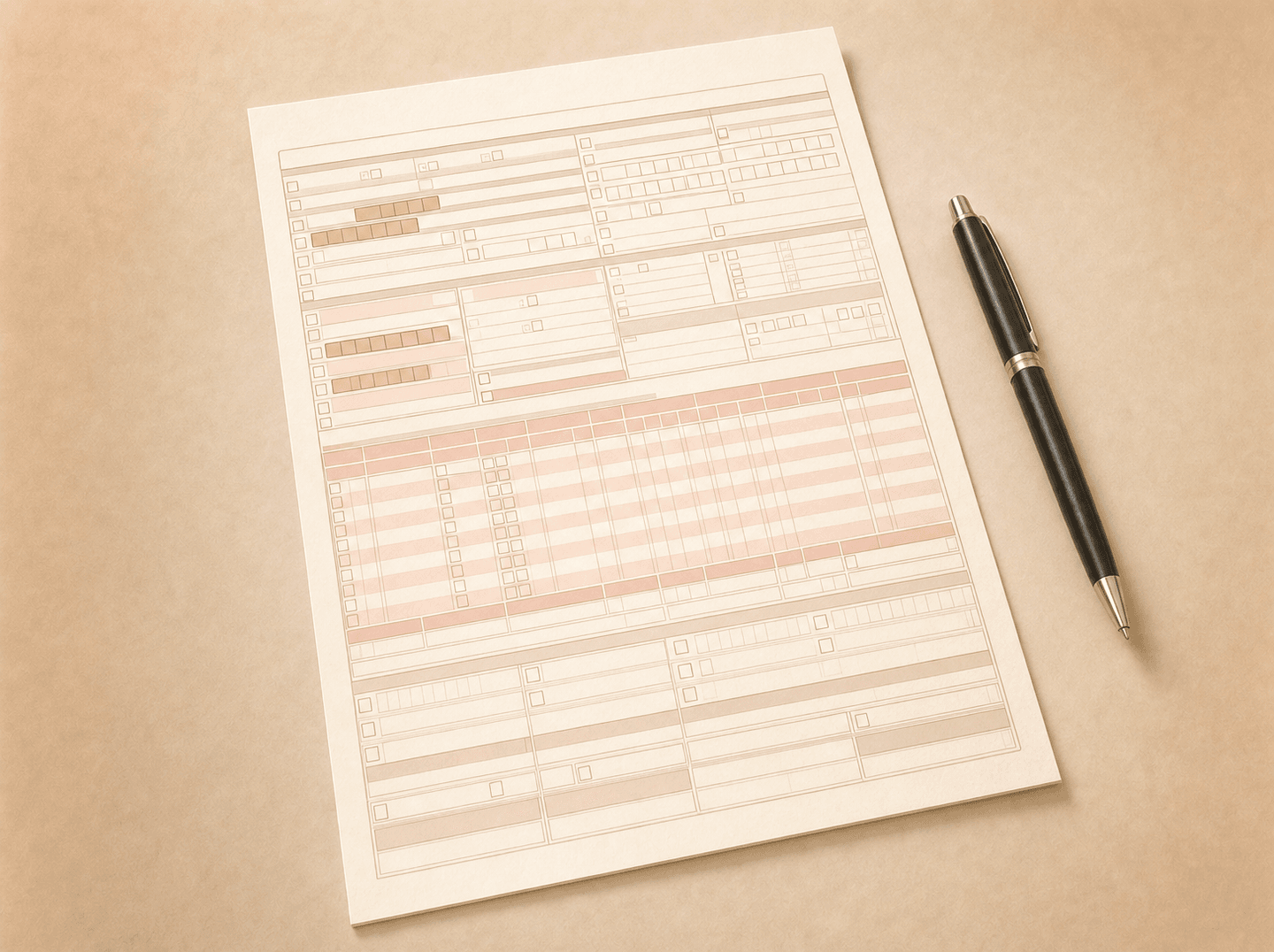
The ADA Dental Claim Form is the paper form used to submit dental claims and predeterminations to third-party payers. The current version is 2024, effective January 1, 2024. It has 58 numbered items spread across ten sections.
Most claims today ship electronically as the HIPAA-standard X12 837D transaction, so most billers never fill out the paper form by hand. The form still matters because the data your PMS sends electronically has to line up with the paper form’s structure. They carry the same fields. So when a claim is rejected at the clearinghouse or comes back denied with a box-number reference, that box maps directly to a field on this form.
This guide walks the form section by section, says what each field is supposed to do, and flags the fields that cause most of the rejections. The official completion instructions are published by the ADA. This guide is a working supplement.
What changed in the 2024 revision
The 2024 form added three pieces of structured data that previously had to be conveyed in the Remarks field or in attachments.
- Item 53a, Locum Tenens Dentist. A checkbox to indicate that the treating dentist is a temporary substitute. When marked, Items 54 through 58 carry the locum dentist’s information instead of the regular treating dentist’s.
- Item 39a, Date Last SRP. The date of the patient’s last scaling and root planing procedure (D4341 or D4342), in MM/DD/CCYY format. Payers use this to apply frequency limitations on periodontal maintenance and to evaluate the clinical justification for new SRP claims.
- Items 3a and 11a, Payer ID. Adds the payer identification number for both the primary carrier (3a) and any other coverage carrier (11a). The Payer ID is intended for additional routing when claims are sent to centralized mailing addresses.
If your PMS templates were last updated before 2024, these three additions are the most common reason a claim built from an old template fails clearinghouse edits.
The form at a glance
The 58 items group into ten sections:
- Header (items 1, 2). Type of transaction and predetermination number.
- Insurance Company / Dental Benefit Plan (items 3, 3a). The primary payer.
- Other Coverage (items 4 through 11, 11a). The other carrier, if there is one.
- Policyholder / Subscriber Information (items 12 through 17). The primary subscriber.
- Patient Information (items 18 through 23). The patient, who may or may not be the subscriber. Item 19 is now reserved.
- Record of Services Provided (items 24 through 35). Up to ten procedure lines, plus diagnosis codes, total fee, missing-teeth indicator, and remarks.
- Authorizations (items 36, 37). Patient and subscriber signatures.
- Ancillary Claim / Treatment Information (items 38 through 47). Place of treatment, attachments, ortho and prosthesis indicators, accident fields, and the new 39a SRP date.
- Billing Dentist or Dental Entity (items 48 through 52, 52a). Who gets paid.
- Treating Dentist and Treatment Location (items 53 through 58, including 53a and 56a). Who actually did the work.
Header (items 1 and 2)
Item 1, Type of Transaction. Three boxes: Statement of Actual Services (services have been performed and dates are present), Request for Predetermination / Preauthorization (no dates of service), or EPSDT / Title XIX (the claim is through the Early and Periodic Screening, Diagnosis and Treatment program). Mark all that apply.
The most common header mistake is marking “Statement of Actual Services” before treatment is complete, or flagging a real treated-service claim as a predetermination. Item 24 should either have a procedure date (actual services) or be blank (predetermination), to match what’s marked in Item 1. The mismatch version of this is one of the easiest rejections to prevent.
Item 2, Predetermination / Preauthorization Number. If the procedure was preauthorized, enter the number issued by the payer. Leave blank for first-time claims.
Insurance Company and Dental Benefit Plan (item 3)
Item 3. Company or plan name, address, city, state, and zip. Always completed. This is the third-party payer receiving the claim.
If the patient has more than one plan, the primary carrier goes here on the initial claim. When you submit the separate secondary claim, the secondary carrier’s information replaces what was in this field.
Item 3a, Payer ID. New field for 2024. Enter the Payer Identification Number for the carrier in Item 3. Leave blank if not known. The Payer ID is on the insurance card or in the participating-provider contract. It routes the claim to the right adjudication queue, which matters when a single mailing address handles claims for dozens of plans.
Other Coverage (items 4 through 11)
These items document any other dental or medical coverage the patient has. The direction matters and trips a lot of people up: the Other Coverage section always describes the carrier you’re NOT sending the claim to. On a primary submission, it describes the secondary. On a secondary submission, it describes the primary.
| Item | Field | Notes |
|---|---|---|
| 4 | Other Dental or Medical Coverage? | Mark Dental, Medical, both, or neither. Blank only if there’s truly no other coverage. |
| 5 | Other policyholder name | Often a spouse, or one of two covering parents. |
| 6 | DOB of person in Item 5 | MM/DD/CCYY |
| 7 | Gender of person in Item 5 | M, F, or U |
| 8 | Subscriber ID | The number on the other plan’s ID card |
| 9 | Group / policy number | Other plan’s group number |
| 10 | Patient’s relationship | To the person in Item 5 |
| 11 | Other insurance company | Name, address, city, state, zip |
| 11a | Payer ID | New for 2024. Payer ID for the other carrier. |
For more on how secondary claims actually work and how to fill the Other Coverage block correctly for non-duplication and birthday-rule cases, see Primary vs. Secondary Dental Insurance: How COB Works.
Policyholder / Subscriber Information (items 12 through 17)
This block applies to the subscriber under the primary carrier (the carrier named in Item 3).
| Item | Field | Notes |
|---|---|---|
| 12 | Subscriber name and address | Full name, city, state, zip |
| 13 | Date of birth | MM/DD/CCYY, eight digits |
| 14 | Gender | M, F, or U |
| 15 | Subscriber identifier | Member ID as printed on the insurance card |
| 16 | Plan / group number | |
| 17 | Employer name | If applicable |
Mismatches between Item 12 and the carrier’s records are a common rejection: a hyphenated last name on the card and a non-hyphenated entry in the PMS, a “Jr.” or “Sr.” suffix dropped, or an ID number with formatting characters the payer system strips. Verification at the front desk is where these get caught.
Patient Information (items 18 through 23)
Item 19 caveat first: Item 19 is blank on the 2024 form. It was previously the Student Status field. PMS templates that still prompt for an entry here are out of date.
| Item | Field | Notes |
|---|---|---|
| 18 | Relationship to subscriber | Self, Spouse, Dependent, Other. If Self, skip ahead to Item 23. |
| 19 | Reserved For Future Use | Leave blank. Previously Student Status. |
| 20 | Patient name and address | |
| 21 | Date of birth | MM/DD/CCYY |
| 22 | Gender | M, F, or U |
| 23 | Patient ID / account # | Office-assigned. Optional. Carriers don’t need it. |
Record of Services Provided (items 24 through 35)
The form supports up to ten procedure lines. Items 24 through 31 repeat for each line; Items 32 through 35 do not repeat.
Per-line fields (24 through 31)
- Item 24, Procedure Date. Date of service in MM/DD/CCYY (the form’s notation for two-digit month, two-digit day, four-digit year). Blank for predeterminations. The date here must be consistent with the box marked in Item 1.
- Item 25, Area of Oral Cavity. Conditional. Use a two-digit code when the procedure refers to an arch or quadrant and the area is not already defined by the procedure’s nomenclature. The codes are 00 (entire oral cavity), 01 (maxillary arch), 02 (mandibular arch), 10 (upper right quadrant), 20 (upper left), 30 (lower left), 40 (lower right). Do not report Area of Oral Cavity when the procedure code already contains the area, like D5110 maxillary complete denture, or when the procedure is not oral-cavity-specific, like D9222 deep sedation.
- Item 26, Tooth System. Enter “JP” to indicate the ADA’s Universal / National Tooth Designation System (1 through 32 for permanent, A through T for primary).
- Item 27, Tooth Number or Letter. The tooth involved, when applicable. For a range, use a hyphen (1-4) or commas (1, 2, 4, 7-10). Supernumerary permanent teeth are 51 through 82 (51 sits adjacent to tooth 1; 82 sits adjacent to tooth 32). Supernumerary primary teeth use the adjacent letter plus “S” (AS adjacent to A; TS adjacent to T). The number you report is the tooth’s identity, not where it currently sits in the mouth. If tooth 14 has drifted into the space where 15 used to be, it’s still tooth 14. The same logic applies to implants: the implant sits in the position of the missing tooth it replaces.
- Item 28, Tooth Surface. Single-letter codes: B (buccal), D (distal), F (facial or labial), I (incisal), L (lingual), M (mesial), O (occlusal). No spaces between letters in multi-surface restorations (write MOD, not M O D). The 2024 instructions added a clarifying note that an anterior tooth’s incisal angle can be reported as a multi-surface restoration when the angle is involved (for example, M-I or D-I for a small fracture; M-I-F-L for a larger one). The clinician decides the surface count.
- Item 29, Procedure Code. The CDT code in effect on the procedure date. See our CDT code library for documentation, frequency, and payer-policy notes on common codes.
- Item 29a, Diagnosis Code Pointer. The letter or letters from Item 34a that identify the diagnosis codes applicable to this procedure. List the primary first.
- Item 29b, Quantity. Number of times this procedure was delivered on this date. Default is 01.
- Item 30, Description. Short description of the service.
- Item 31, Fee. The dentist’s full fee for the procedure.
Non-repeating fields (31a through 35)
- Item 31a, Other Fees. Other applicable charges, such as state tax or other regulatory fees.
- Item 32, Total Fee. Sum of Item 31 lines plus Item 31a.
- Item 33, Missing Teeth Information. Mark an X on each missing permanent tooth. Report when the missing-teeth picture matters to the procedures on the claim: periodontal, prosthodontic (fixed or removable), or implant. Same identity rule as Item 27: mark the tooth that’s missing, not where the gap currently sits.
- Item 34, Diagnosis Code List Qualifier. Enter “AB” for ICD-10-CM.
- Item 34a, Diagnosis Codes. Up to four ICD-10-CM codes (A through D). Primary diagnosis goes adjacent to “A.” Required when the diagnosis affects claim adjudication, or when required by state regulation (Medicaid) or the payer contract.
- Item 35, Remarks. Free text for anything the payer needs that doesn’t fit a structured field. Keep it short and on-point. Anything written here may push the claim into human review, which slows adjudication. One useful pattern: on a secondary claim, note what the primary paid. On a multi-unit implant prosthesis where the implant positions don’t line up with natural tooth positions, a one-line note prevents the reviewer misreading the placement.
Authorizations (items 36 and 37)
- Item 36, Patient Consent. Patient or representative signature, or “Signature on File.” Confirms the patient was told the treatment plan, what it costs, and authorized release of the records the payer needs to process the claim.
- Item 37, Authorize Direct Payment. Subscriber signature, or “Signature on File.” Tells the payer to send the benefit check to the dentist instead of the patient. Signing this does not make the practice in-network or create any contract with the carrier. It only changes who gets the check.
Most PMS systems auto-insert “Signature on File” when an office consent is on record. Keep the signed paper consent in the patient’s chart.
Ancillary Claim and Treatment Information (items 38 through 47)
Place of treatment and enclosures (items 38, 39, 39a)
- Item 38, Place of Treatment. Two-digit CMS Place of Service code. Common entries: 11 (office), 12 (home), 21 (inpatient hospital), 22 (outpatient hospital), 31 (skilled nursing facility), 32 (nursing facility), 02 (telehealth, including teledentistry). One teledentistry catch worth knowing: the location code is the dentist’s practice address, not where the patient is sitting. A wrong POS code can push the claim into a medical-policy review path and add days to adjudication.
- Item 39, Number of Enclosures. Indicates whether radiographs, oral images, or models are being sent with the claim. The form has sub-fields for each type and how many of each.
- Item 39a, Date Last SRP. New for 2024. Date of the patient’s most recent scaling and root planing (D4341 or D4342), MM/DD/CCYY. Leave blank if not applicable or not known. Carriers use this to evaluate frequency limitations on periodontal maintenance (D4910) and to assess clinical justification for new SRP.
Orthodontic, prosthesis, and accident block (items 40 through 47)
| Item | Field | Notes |
|---|---|---|
| 40 | Is Treatment for Orthodontics? | If No, skip to Item 43. |
| 41 | Date Appliance Placed | Orthodontic appliance placement date. Report on initial and subsequent ortho visits. |
| 42 | Months of Treatment | Total months from start to end of the treatment plan. |
| 43 | Replacement of Prosthesis? | No for initial placements. Yes for replacement (then complete Item 44). Applies to crowns and all fixed or removable prostheses. |
| 44 | Date of Prior Placement | Required when Item 43 is Yes. |
| 45 | Treatment Resulting From | Mark if treatment is the result of an auto accident, an employment incident, or another accident. Skip 46-47 if none. |
| 46 | Date of Accident | If applicable. |
| 47 | Auto Accident State | If applicable. |
When 45 through 47 are filled in, the dental carrier may pursue the auto or workers’ comp insurer first, since those are often the responsible payer when the dental work is accident-related. Expect a slower payment cycle while that gets sorted out.
Billing Dentist or Dental Entity (items 48 through 52a)
This is the entity that gets paid. It may not be the dentist who delivered the treatment. See the Box 49 vs Box 54 mistake below for the NPI rules that trip up group practices and DSOs.
| Item | Field | Notes |
|---|---|---|
| 48 | Billing dentist or entity name and address | |
| 49 | NPI of the billing entity | Type 2 for incorporated practices, group practices, and DSO billing entities. Type 1 for an unincorporated solo dentist billing under their own name. |
| 50 | License Number | The dentist’s license if billing as an individual. Blank if the billing entity is a corporation. |
| 51 | SSN or TIN | Unincorporated solo: dentist’s SSN or TIN. Incorporated: corporation’s TIN. Group practice or clinic: entity’s TIN. |
| 52 | Phone Number | Business phone for the billing dentist or entity. |
| 52a | Additional Provider ID | A non-NPI, non-SSN, non-TIN Legacy Identifier (LID) assigned by a payer or federal entity. Used for payer-specific provider numbers from before NPI standardization. |
Treating Dentist and Treatment Location (items 53 through 58)
This section is required on every claim. The treating dentist is the individual who performed the procedures. The treatment location is where the work actually happened, which can differ from the billing entity’s address (multi-location group practices, mobile dentistry, hospital-based procedures).
Item 53a (new for 2024) is the locum tenens checkbox. Mark it when the treating dentist is providing services as a temporary substitute. When 53a is checked, every field from 54 through 58 carries the locum dentist’s information, not the regular treating dentist’s.
| Item | Field | Notes |
|---|---|---|
| 53 | Certification | Treating dentist signature and date. PMS templates can insert the printed name. Not required for predeterminations. |
| 53a | Locum Tenens Dentist | New for 2024. Check if a temporary substitute provided care. |
| 54 | NPI of the treating dentist | Always Type 1 (individual provider). See the Box 49 vs 54 section below. |
| 55 | License Number | Treating dentist’s license. May differ from Item 50 (billing) when the treating dentist is an associate, contractor, or locum. |
| 56 | Treatment Location Address | Street address only, no PO Boxes. For teledentistry, this is the dentist’s practice address, not where the patient was. |
| 56a | Provider Specialty Code | Healthcare Provider Taxonomy code. See table below. |
| 57 | Phone Number | Treating dentist’s business phone. |
| 58 | Additional Provider ID | Non-NPI legacy identifier for the treating dentist, when applicable. |
Item 56a taxonomy codes. The general “Dentist” code can be used in place of any specialty code.
| Code | Specialty |
|---|---|
| 122300000X | Dentist (general) |
| 1223G0001X | General Practice |
| 1223D0001X | Dental Public Health |
| 1223E0200X | Endodontics |
| 1223P0106X | Oral and Maxillofacial Pathology |
| 1223X0008X | Oral and Maxillofacial Radiology |
| 1223S0112X | Oral and Maxillofacial Surgery |
| 1223X0400X | Orthodontics |
| 1223P0221X | Pediatric Dentistry |
| 1223P0300X | Periodontics |
| 1223P0700X | Prosthodontics |
The Box 49 vs Box 54 mistake
The rule plays out differently by practice structure:
| Practice structure | Box 49 (billing entity) | Box 54 (treating dentist) |
|---|---|---|
| Solo unincorporated dentist | Their Type 1 NPI | Same Type 1 NPI |
| Solo incorporated practice | Practice’s Type 2 NPI | Same dentist’s Type 1 NPI |
| Group practice | Entity’s Type 2 NPI | Associate or owner who performed the procedure (Type 1) |
| DSO with multiple locations | DSO billing entity’s Type 2 NPI | Dentist at the specific location (Type 1) |
A Type 2 NPI in Box 54 is one of the rejection patterns clearinghouses are designed to catch, since the field strictly requires Type 1. When that happens, the payer never sees the claim. It bounces back to the practice with a reason code that points at Box 54.
When the paper form is the only option
Despite electronic adoption, paper still has a role:
- Predeterminations to payers without electronic predet support. Less common than it used to be, but still present with some smaller plans and self-funded ERISA plans.
- Attachment-heavy claims where radiographs, narratives, periodontal charting, and intraoral photos exceed clearinghouse size limits or where the payer’s electronic attachment system is unreliable.
- Carrier-specific edge cases that the clearinghouse rejects, sometimes secondary claims to payers that will not accept the primary’s electronic ERA as proof of payment.
- Some state Medicaid programs that still require paper for specific procedure categories.
If a practice is sending paper claims for a meaningful share of submissions, the problem is usually upstream: clearinghouse setup, attachment automation, or a stale PMS template. The form is rarely the issue.
How the form maps to the electronic claim
The paper form and the X12 837D electronic claim carry the same data. They’re two formats of the same underlying record. When the PMS sends an electronic claim, every field that would have gone in a numbered box on paper gets mapped into the corresponding part of the electronic transaction.
This matters for an all-electronic practice because rejection messages still speak the form’s language. A clearinghouse acknowledgement that says “missing rendering provider NPI” or “invalid Place of Service” is pointing at a specific box. The fastest way to triage a rejection is to find the box number it’s complaining about, check what the PMS actually sent, and compare to what the form says should be there.
Common rejection patterns by field
The fields below cause the highest share of clearinghouse and front-end rejections.
| Field | Common cause | Fix |
|---|---|---|
| Item 1 vs Item 24 | Predetermination box marked with a procedure date entered, or actual-services marked without a date | Align Item 1 transaction type with whether Item 24 has a date |
| Item 12 / Item 15 | Subscriber name or ID does not match carrier records | Verify against the card during eligibility verification |
| Item 19 | PMS still prompts for the retired Student Status field | Update PMS template to leave blank |
| Item 25 | Area of Oral Cavity entered when the CDT code already includes the area | Leave blank when the procedure nomenclature carries the area |
| Item 28 | Wrong surface set for a multi-surface restoration | Match the clinician’s documented surfaces; do not auto-generate |
| Item 29 | CDT code retired or not valid on Item 24’s procedure date | Check the CDT version in effect on the date of service |
| Item 38 | Wrong Place of Service code (commonly 11 entered for a hospital-based procedure) | Match the CMS POS code to the actual location |
| Item 44 | Date of Prior Placement missing when Item 43 is Yes | Pull the prior-placement date from the patient record or query the patient |
| Item 49 | Type 1 NPI in a group-practice billing entity field | Use Type 2 for incorporated group practices |
| Item 54 | Type 2 NPI in the treating-dentist field | Always Type 1 in Item 54 |
| Item 56 | PO Box used as treatment location | Replace with a street address |
This is a starting set, not exhaustive. Specific carriers have their own pre-edit rules that reject claims for reasons not visible in the ADA’s instructions. See Claims and AR for how a claims operation works rejections at scale.
Where to download the form and instructions
The ADA Dental Claim Form J43024 (current 2024 version) and its completion instructions are at ada.org/publications/cdt/ada-dental-claim-form. The 16-page instructions document covers every item including the new 53a, 39a, 3a, and 11a fields added in the 2024 revision.
The ADA Dental Claim Form is a publication of the American Dental Association.
Common questions
- What is the current version of the ADA Dental Claim Form?
- The 2024 version, effective January 1, 2024. The ADA catalog number is J43024 (paper pads are also sold as J43124, J43224, J43424, and J43024T). The 2024 revision added fields for locum tenens reporting (53a), last scaling and root planing date (39a), and Payer ID on both the primary (3a) and other-coverage (11a) sections. The official completion instructions are published by the ADA's Council on Dental Benefit Programs.
- Do I need to fill out a paper claim form if I submit electronically?
- No. Almost all claims ship as the HIPAA-standard X12 837D electronic dental claim. The paper form is required only for predeterminations to payers without electronic predet support, attachment-heavy claims that exceed clearinghouse limits, and some Medicaid and edge cases. The paper form still matters because the data content of the electronic claim is required by ADA policy to be in harmony with the paper form. Knowing the form is knowing the data structure your PMS sends.
- Which NPI goes in Box 49 versus Box 54?
- Box 49 is the entity that gets paid. For an incorporated practice, a group, or a DSO billing entity, this is the Type 2 NPI. For a solo unincorporated dentist who bills under their own name, it's their Type 1 NPI. Box 54 is always the individual dentist who actually performed the procedure, which is always a Type 1 NPI. If a locum tenens dentist did the work, Box 54 holds the locum's Type 1 NPI, not the regular dentist's.
- What is the difference between a Type 1 and Type 2 NPI?
- Type 1 NPIs identify an individual provider. Every individual dentist is eligible regardless of whether they are HIPAA-covered. Type 2 NPIs identify an organization, such as a group practice or corporation. Individual dentists who are incorporated may be enumerated as both Type 1 and Type 2. On the form, the two are visually identical (10-digit numbers); the box and the practice's structure determine which is correct.
- Where do I download the ADA Dental Claim Form?
- From the ADA's publication page at ada.org/publications/cdt/ada-dental-claim-form. The ADA publishes both the form and the completion instructions. Most state Medicaid and PPO carriers also host downloadable versions, but the ADA is the authoritative source.
- What does Box 38 (Place of Treatment) actually do?
- It carries the CMS Place of Service code, a HIPAA standard. Code 11 is office, 12 is home, 21 is inpatient hospital, 22 is outpatient hospital, 31 is skilled nursing facility, 32 is nursing facility, and 02 is telehealth (teledentistry). For teledentistry the location is the dentist's practice address, not where the patient is sitting. Carriers route claims down different adjudication paths based on this code, so a wrong entry can pull the claim into a medical-policy review and slow payment.
- What goes in Box 19?
- Nothing. Item 19 is Reserved For Future Use on the 2024 form. It was previously the Student Status field. Leave it blank and continue to Item 20. PMS templates that still prompt for a value should be updated.
- What is the locum tenens checkbox in 53a?
- It indicates that the treating dentist is providing services as a temporary substitute, called locum tenens. When 53a is marked, the NPI in Box 54, license in Box 55, specialty code in 56a, phone in 57, and additional provider ID in 58 all belong to the locum dentist, not the regular treating dentist. The 2024 revision added 53a and amended the instructions for 54 through 58 to support this scenario.
Working with us
Rejection patterns add up faster than they look.
If your team is fixing the same box-level rejections over and over, working denials a week late, or skipping appeals because there isn't time, the math gets ugly. We submit clean claims daily, work the denial queue every business day, and chase aging AR on a regular cadence. For individual practices and DSOs.